
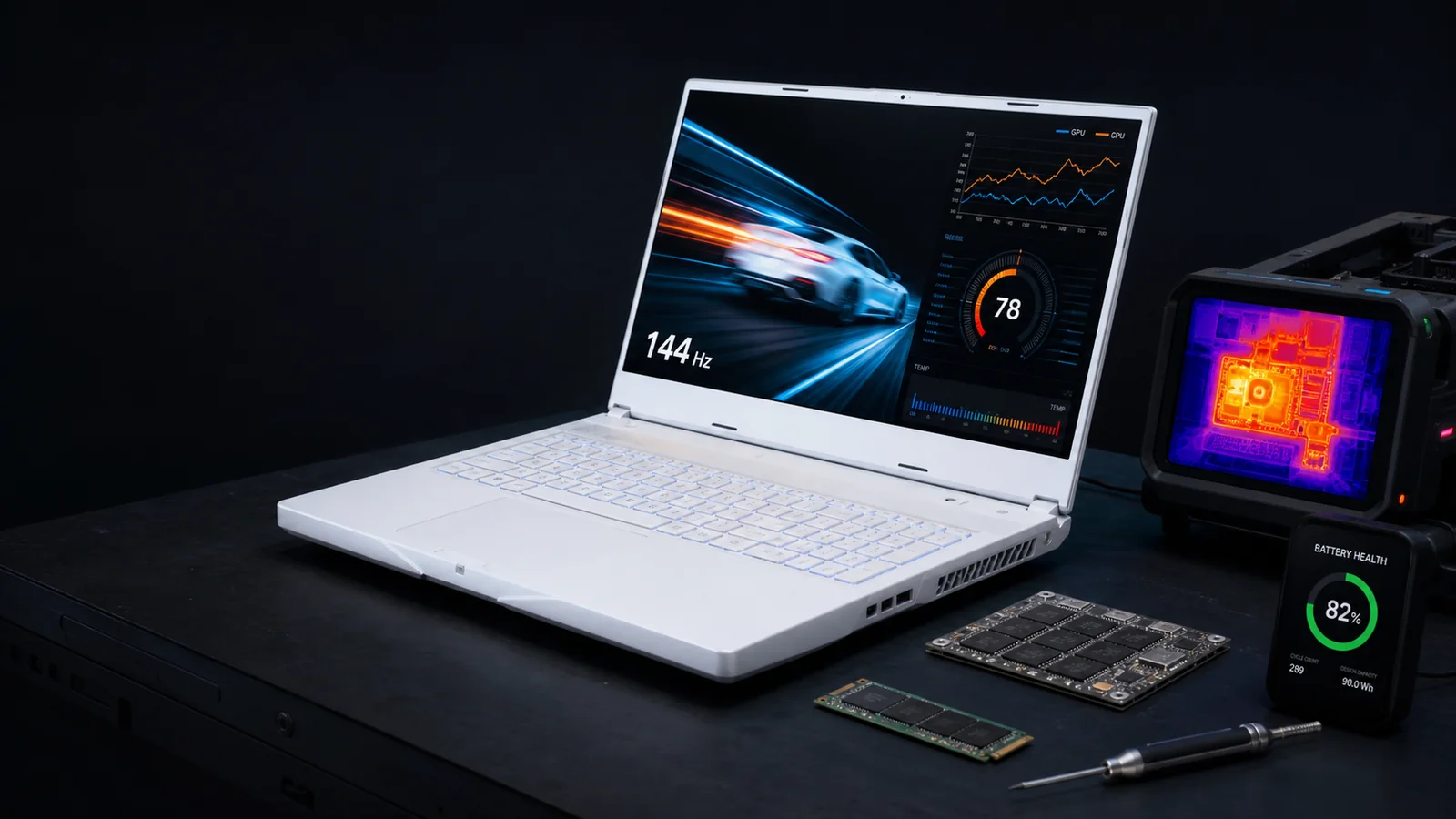
RealReviews' 2019 roundup called this Alienware its number-one gaming laptop. The old short link now resolves to ASIN B07TK52FR6 and the catalog identity AWYA15-7947BLK-PUS: Core i7-9750H, RTX 2060 6 GB, 16 GB onboard memory, 512 GB NVMe storage and a 144 Hz FHD display.
That configuration is still usable for esports, older AAA games and settings-managed 1080p play. It is not a current high-end machine. Independent m15 R2 testing found the CPU near 100 C under synthetic and gaming loads, while Dell confirms that the 16 GB memory is integrated and cannot be upgraded.
Twenty-four historical bodies keyed to the ASIN were inspected. They include genuine praise for speed, screen, keyboard and portability, alongside heat, battery, fan, boot, Wi-Fi, GPU, hinge and early-failure reports. Because the retailer variation pool also contains neighboring configurations, it is not published as an exact live star score.
The resulting 5.5/10 is conditional: buy only at a condition-adjusted price after a long thermal and stability test, battery report, hinge and trackpad inspection, correct-charger check and a meaningful return window. The old unexplained 4.4/5, 1,347-review claim and mid-90s score panels are withdrawn.
Alienware m15 R2 (2019, RTX 2060) review: 5.5/10 (C-)
Alienware m15 R2 (2019, RTX 2060) earns 5.5/10, or C-, as a 2026 used purchase. conditionally useful, but heat and soldered memory narrow the deal It can make sense below newer-used alternatives for a buyer who wants the 144 Hz screen, Ethernet and dual-M.2 storage and can verify a healthy unit in person.
This is not a rerun of a 2019 launch review. RealReviews scored the exact configuration behind the old Amazon link for the decision a buyer faces now: whether an eight-year-old machine is worth acquiring without a new-product warranty. The identity is a 15.6-inch 144 Hz FHD Alienware m15 R2 with a Core i7-9750H, GeForce RTX 2060 6 GB, 16 GB onboard DDR4 and 512 GB NVMe SSD. That boundary matters because the same chassis name was sold with different processors, graphics chips, panels, memory layouts and storage. A review that drifts across those variants can make a 60 Hz screen look like a 240 Hz one or turn removable memory into soldered memory. The old RealReviews endorsement and its unexplained review count are not inputs to this grade.
The score uses seven disclosed dimensions. Current 1080p usefulness carries the most weight, but it is not allowed to erase heat, battery, repair or transaction risk. Notebookcheck's m15 R2 test found strong gaming performance but unusually hot and variable CPU behavior; the exact RTX 2060 is a capable first-generation mobile RTX part with 6 GB of graphics memory. it remains credible for esports, older AAA games and many current games at 1080p after settings are chosen carefully, but 6 GB VRAM, a six-core 2019 CPU and thermal limits reduce headroom for demanding new releases. Those statements describe capability, not a promise that every current game will run at a chosen preset. Laptop power limits, cooling condition, memory mode, driver version and the exact game can move results sharply. A seller's ten-minute demo also says little about intermittent faults or battery behavior.
Twenty-four historical bodies keyed to ASIN B07TK52FR6 were inspected; twelve were marked verified purchase. The pool is variation-level because at least one body explicitly names a different 2070/240 Hz configuration. Owners repeatedly praise plugged-in speed, the screen, keyboard, design and portability for the performance class. The counterweight is equally important: The same pool includes short-battery, heat, fan-tick, boot, Wi-Fi, GPU, hinge, trackpad and early-death reports, with several owners describing difficult support or repair experiences. In a used transaction, those reports are a checklist of plausible failure modes, not a model-wide defect rate. The verdict is therefore conditional. Run a long CPU/GPU load and warm restart, listen for fan ticking, verify Wi-Fi stability, test hinge and trackpad, inspect battery flatness, and remember that failed onboard memory requires board-level repair. A return window and a price low enough to survive a battery, fan or storage replacement are part of the product, not afterthoughts.
The old link resolves to one specific configuration
The reviewed unit is a 15.6-inch 144 Hz FHD Alienware m15 R2 with a Core i7-9750H, GeForce RTX 2060 6 GB, 16 GB onboard DDR4 and 512 GB NVMe SSD. RealReviews uses ASIN B07TK52FR6 and manufacturer identifier AWYA15-7947BLK-PUS to keep neighboring configurations out of the factual core.
The restored article linked through a shortened Amazon URL. Resolving that redirect produced ASIN B07TK52FR6; surviving catalog, manufacturer and support records then supplied the model boundary. The resolved catalog title names AWYA15-7947BLK-PUS, while Dell's m15 R2 records confirm the 144 Hz display family, RTX 2060 option, onboard memory and dual-M.2 storage architecture. This chain is more dependable than repeating a family name from memory. It also explains why some historical owner pages contain comments about adjacent GPUs or screens: Amazon commonly groups variations. Those bodies can still reveal family-level ownership themes, but they cannot silently rewrite this specification.
a 15.6-inch 144 Hz FHD Alienware m15 R2 with a Core i7-9750H, GeForce RTX 2060 6 GB, 16 GB onboard DDR4 and 512 GB NVMe SSD Manufacturer records are treated as specification evidence, not as performance proof. A listed refresh rate tells us what the panel accepts; it does not prove response time, brightness uniformity or freedom from dead pixels. A maximum memory statement tells us the designed limit; it does not show the used machine actually contains healthy modules. The buyer should confirm the CPU, GPU, display mode, installed memory and drives in the operating system and, when possible, against the service tag or model label.
This profile also refuses a common marketplace shortcut: a title containing the right family name is not enough. Sellers may reuse stock photos, omit the exact GPU, replace drives, install a different panel, or describe a similar regional SKU. Ask for a current BIOS or system-information photo, a GPU utility screenshot under load, the display's active resolution and refresh rate, the storage-device model numbers, and a photograph of the bottom label. If those pieces disagree with ASIN B07TK52FR6 or AWYA15-7947BLK-PUS, price the machine as an unknown configuration until the mismatch is resolved.
Its useful lane is 1080p with game-specific compromises
Notebookcheck's m15 R2 test found strong gaming performance but unusually hot and variable CPU behavior; the exact RTX 2060 is a capable first-generation mobile RTX part with 6 GB of graphics memory. In 2026, it remains credible for esports, older AAA games and many current games at 1080p after settings are chosen carefully, but 6 GB VRAM, a six-core 2019 CPU and thermal limits reduce headroom for demanding new releases. It should be bought for a tested game library, not for the assumption that an old high-end label guarantees new-release settings.
Independent launch-era testing remains useful when its date is explicit. It shows how the CPU, GPU and cooling package behaved in a controlled system before years of dust, paste aging and battery wear. It does not answer a 2026 game's shader compilation, memory demand, anti-cheat, operating-system or driver behavior by itself. RealReviews therefore uses historical frame-rate tests as a baseline and current requirements as a ceiling check. We do not invent a modern benchmark result for a unit we did not physically test.
it remains credible for esports, older AAA games and many current games at 1080p after settings are chosen carefully, but 6 GB VRAM, a six-core 2019 CPU and thermal limits reduce headroom for demanding new releases. The practical target is usually native 1920 by 1080, plugged into the correct-wattage adapter, with settings chosen after watching frame time, GPU memory use and temperature. Competitive titles and older games may exploit the panel well. New visually dense releases can require lower textures, reduced effects, upscaling where available, or a 30-to-60-fps expectation. Ray-tracing labels deserve particular caution: first-generation laptop RTX hardware may support the feature while delivering an unattractive result at the desired resolution and preset.
A pre-purchase test should be repeatable. Use the same game or benchmark for at least twenty to thirty minutes, record initial and settled frame rates, watch CPU and GPU clocks, and look for abrupt drops rather than celebrating one peak number. Test both internal and external displays if that matters. Run on AC power, then verify ordinary battery mode separately; gaming laptops intentionally cut performance away from the charger. If a seller will not permit a sustained load, treat the missing test as risk and lower the price or walk away.
The panel and ports define what the old GPU can still do well
The linked configuration pairs a 1920×1080 144 Hz panel with Dell's stated 300-nit typical luminance, a useful match for competitive and older games when frame rate is high enough. Dell lists three USB-A ports, Thunderbolt 3, HDMI 2.0, mini DisplayPort 1.4, Ethernet and an Alienware graphics-amplifier port, but no card reader and no charging through Thunderbolt 3. Those facts create a different use case from the product name alone and should be verified on the exact unit.
The linked configuration pairs a 1920×1080 144 Hz panel with Dell's stated 300-nit typical luminance, a useful match for competitive and older games when frame rate is high enough. Refresh rate is only one part of the viewing experience. Brightness, color coverage, contrast, pixel response, backlight bleed and adaptive-sync behavior can matter more for creative work or visually dark games. A high-refresh panel is valuable when the GPU can actually deliver high and stable frame rates; it does not make a demanding 45-fps game feel like 144 or 240 fps. Conversely, a 60 Hz panel can be adequate for slower games but caps the visible benefit of higher rendered frame rates and changes the value proposition.
Dell lists three USB-A ports, Thunderbolt 3, HDMI 2.0, mini DisplayPort 1.4, Ethernet and an Alienware graphics-amplifier port, but no card reader and no charging through Thunderbolt 3. Port selection should be tested with the devices the buyer intends to use. A connector's shape does not prove every feature: USB-C may or may not provide charging, display output or Thunderbolt; HDMI and DisplayPort versions affect external resolution and refresh; and an aging jack can disconnect under movement. Bring a known USB device, headphones, an Ethernet cable where supported, and an external monitor if docking is important. Verify Wi-Fi and Bluetooth rather than assuming a successful boot proves the radios.
Panel replacement history is also relevant. Used laptops can contain compatible but lower-spec displays after repair. In the operating system, confirm the maximum refresh rate and native resolution. Inspect solid colors for stuck pixels, pressure marks, uneven backlight and image retention; use scrolling text or a pursuit test to look for obvious ghosting. Check the webcam, microphone and brightness controls. A replacement display can be perfectly serviceable, but a seller who advertises the original high-refresh or wide-gamut panel should be able to demonstrate it.
Outside ratings
| Source | Rating | Reviews | Checked |
|---|---|---|---|
| Historical Amazon bodies keyed to B07TK52FR6 | 4.0/5 | 24 | 2026-08-17 |
Ratings are reported exactly as displayed by each platform on the capture date. RealReviews does not combine, rescale, or treat a one-review page as representative.
Consensus coverage
moderate confidence. We coded 24 content-bearing bodies across 3 eligible sources. Product specificity was mixed.
Eligible: Dell m15 R2 setup and specifications, Notebookcheck Alienware m15 R2 test, Historical ASIN review-body dataset.
- Excluded Old RealReviews rating and review-count display — No source list, bodies, inclusion rule, collection period or calculation was recovered.
- Excluded Retailer Q&A, search snippets and non-owner forum recommendations — They can clarify identity or buyer questions but are not product-owner outcome evidence.
- Excluded Bodies that explicitly name a neighboring configuration — Useful only as disclosed family-level context; they cannot establish exact-configuration performance or incidence.
What reviewers repeatedly said
Recurring positives: Owners repeatedly praise plugged-in speed, the screen, keyboard, design and portability for the performance class.; Notebookcheck's m15 R2 test found strong gaming performance but unusually hot and variable CPU behavior; the exact RTX 2060 is a capable first-generation mobile RTX part with 6 GB of graphics memory.; Dell says the 16 GB dual-channel DDR4 is integrated on the system board and cannot be upgraded, while storage can use two M.2 positions up to the documented interface limits..
Recurring negatives: The same pool includes short-battery, heat, fan-tick, boot, Wi-Fi, GPU, hinge, trackpad and early-death reports, with several owners describing difficult support or repair experiences.; Notebookcheck observed the CPU touching roughly 100 C under both Prime95 and a Witcher 3 gaming load, with clocks fluctuating as the system balanced temperature and performance; historical owners also mention loud fans, heat and fan defects.; Dell specified a 76 Wh battery, and Notebookcheck recorded about 5.5 hours in its launch-era Wi-Fi test, while owners in the ASIN pool repeatedly describe short real-world runtime; any original pack is now far beyond ordinary warranty age..
Counterexamples retained: A successful owner report does not prove that an eight-year-old unit offered today has the same battery, cooling, drive or repair history.; A severe defect report identifies a plausible failure mode but does not establish the percentage of units affected.; Historical game performance does not guarantee a current title, setting, driver or frame-rate target..
Twenty-four historical bodies keyed to ASIN B07TK52FR6 were inspected; twelve were marked verified purchase. The pool is variation-level because at least one body explicitly names a different 2070/240 Hz configuration.
Heat is a performance and longevity question, not a cosmetic one
Notebookcheck observed the CPU touching roughly 100 C under both Prime95 and a Witcher 3 gaming load, with clocks fluctuating as the system balanced temperature and performance; historical owners also mention loud fans, heat and fan defects. On an older unit, dust, fan wear, dried thermal material and a blocked intake can make the original behavior worse, so a sustained thermal test is mandatory.
Notebookcheck observed the CPU touching roughly 100 C under both Prime95 and a Witcher 3 gaming load, with clocks fluctuating as the system balanced temperature and performance; historical owners also mention loud fans, heat and fan defects. Instrumented review findings are more useful than a seller saying that gaming laptops normally run hot, but even a laboratory result belongs to the tested configuration and room. What matters for the individual used machine is whether clocks settle predictably, temperatures remain within the system's control, fans sound smooth, and the keyboard or palm rest stays usable. Repeated oscillation, sudden frame-time spikes, shutdowns or a mechanical tick deserve more weight than a single maximum-temperature screenshot.
Inspect the air path before load testing. Look for compressed dust at exhaust fins, missing screws, warped vents, damaged fan blades and evidence that the bottom cover has been opened carelessly. Listen at idle and under load for scraping, pulsing or bearing noise. A recent cleaning claim is not proof of correct work; ask what was removed, whether pads were disturbed, and whether thermal material was replaced. Aggressive repasting or undervolting can help some systems, but it can also conceal a marginal unit or create instability.
The score does not assume that every warm laptop is failing. Compact gaming notebooks trade noise and temperature against size, and many owners used these machines successfully. The deduction reflects reduced margin in 2026. A replacement fan may be inexpensive while a board-level power fault is not. The buyer should price the machine only after it completes a cold start, a long combined CPU/GPU load, a restart while warm, sleep and wake, and an ordinary game session without artifacts, clock collapse or unexpected errors.
An original battery is now a consumable with uncertain history
Dell specified a 76 Wh battery, and Notebookcheck recorded about 5.5 hours in its launch-era Wi-Fi test, while owners in the ASIN pool repeatedly describe short real-world runtime; any original pack is now far beyond ordinary warranty age. Any 2019 battery should be judged by current full-charge capacity, cycle history, swelling and behavior under load—not by its launch specification or an old runtime result.
Dell specified a 76 Wh battery, and Notebookcheck recorded about 5.5 hours in its launch-era Wi-Fi test, while owners in the ASIN pool repeatedly describe short real-world runtime; any original pack is now far beyond ordinary warranty age. Historical runtime provides context, but lithium-ion capacity falls with calendar age, heat, charge level and cycles. A machine that lived on a charger in a hot chassis can have low usable capacity even with a modest cycle count. Windows' battery report can show design capacity, recent full-charge capacity and usage history when the firmware exposes them. Compare that report with an unplugged video or browsing test. A percentage icon alone can fall rapidly after the charger is removed.
Physical inspection matters because a swelling pack can lift the trackpad, bow the chassis or stress internal parts. Set the laptop on a flat surface, examine gaps, press the trackpad across its area, and compare the bottom cover with reference photographs. Do not puncture or compress a swollen pack, and do not continue charging a visibly deformed unit. A seller's promise that it only needs a battery is acceptable only when the price, part availability and return rights leave room for the possibility that charging circuitry is also involved.
Gaming on battery is not a fair measure of plugged-in performance because firmware and GPU software reduce power. It is still a useful stability and health check. Verify that the machine charges from the included adapter, reports the adapter correctly, reaches a full state without extreme heat, and can survive ordinary portable work. Confirm the adapter wattage and connector; a lower-wattage replacement can produce discharge during play or unexplained throttling. RealReviews treats a healthy replacement battery and correct charger as part of the purchase price.
Upgrade headroom differs sharply among the four old picks
Dell says the 16 GB dual-channel DDR4 is integrated on the system board and cannot be upgraded, while storage can use two M.2 positions up to the documented interface limits. That architecture affects both useful life and repair economics; it should be confirmed before paying for memory or storage the chassis cannot accept.
Dell says the 16 GB dual-channel DDR4 is integrated on the system board and cannot be upgraded, while storage can use two M.2 positions up to the documented interface limits. Replaceable memory can extend the useful life of a system that shipped with 16 GB, while soldered memory makes the original capacity a permanent ceiling and turns a memory fault into a board repair. Storage upgrades are generally more forgiving, but slot count and interface matter. A second M.2 position, a 2.5-inch bay, the correct screw and bracket, and a compatible drive length should be confirmed in the service record and on the individual machine.
Before upgrading, capture the current configuration and health. Run a memory test, inspect SMART data, note encryption keys, and verify that recovery media or a clean operating-system installer is available. An old hard drive can be the slowest and least reliable component even when the GPU remains adequate. Moving games and the operating system to a healthy SSD can improve load time and responsiveness, but it will not cure thermal throttling, a weak CPU or insufficient graphics memory.
Repairability is not the same as cheap repair. Replacement boards combine the CPU and GPU and can approach the value of the complete laptop. Proprietary batteries, display cables, hinges and fans vary by sub-model. Ask whether prior repairs used original or compatible parts and whether firmware recognizes them. A documented service manual and a marketplace full of components improve the odds, but return rights still matter because intermittent faults can survive a quick bench test.
Windows 10 is no longer the safe default
Dell still publishes setup and service manuals. The Core i7-9750H generation can follow the ordinary Windows 11 hardware path when TPM, Secure Boot and the rest of the unit meet requirements, but the exact service tag should be checked for drivers and firmware. Because Microsoft ended ordinary Windows 10 support on October 14, 2025, a 2026 purchase should include a clean, supported Windows 11 path or a deliberate alternative operating-system plan.
Dell still publishes setup and service manuals. The Core i7-9750H generation can follow the ordinary Windows 11 hardware path when TPM, Secure Boot and the rest of the unit meet requirements, but the exact service tag should be checked for drivers and firmware. Processor eligibility is necessary but not sufficient. Windows 11 also depends on enabled TPM, Secure Boot, firmware settings, storage health and drivers. Run Microsoft's health check or verify those requirements directly, then confirm activation status. Do not accept a seller's unsupported bypass as equivalent to an ordinary supported installation. If the laptop remains on Windows 10, understand the security-update status and any Extended Security Updates enrollment rather than assuming familiar software is still maintained.
Graphics support is another layer. The GTX 16 and RTX 20 notebook families appear in NVIDIA's Game Ready product lists, while NVIDIA notes that notebook makers provide the certified drivers for specific systems. A current generic driver can work while an OEM package remains necessary for switching graphics, display brightness or power modes. Test the manufacturer's control utility, performance profiles, keyboard lighting and fan controls. Missing utilities should not block basic use, but broken power-management integration can materially change battery and thermal behavior.
Firmware history should be approached conservatively. Record the current BIOS version, read the vendor instructions and use stable AC power before updating. A used machine that works does not need every optional experiment. Check Device Manager for unknown devices, review system logs for display-driver or hardware errors, and test sleep, wake, webcam, audio and wireless after updates. Software cleanup can remove launch-era bloat, but it cannot make unsupported hardware new or erase a recurring hardware error.
The owner record is useful only when its boundaries stay visible
Twenty-four historical bodies keyed to ASIN B07TK52FR6 were inspected; twelve were marked verified purchase. The pool is variation-level because at least one body explicitly names a different 2070/240 Hz configuration. Owners repeatedly praise plugged-in speed, the screen, keyboard, design and portability for the performance class. The same pool includes short-battery, heat, fan-tick, boot, Wi-Fi, GPU, hinge, trackpad and early-death reports, with several owners describing difficult support or repair experiences. These bodies map benefits and failure modes; they do not establish a current defect rate.
Twenty-four historical bodies keyed to ASIN B07TK52FR6 were inspected; twelve were marked verified purchase. The pool is variation-level because at least one body explicitly names a different 2070/240 Hz configuration. Review evidence is separated by host and product specificity. An exact ASIN can still contain neighboring configurations because retailers merge variations. A self-identified exact owner can supply a detailed failure story without supplying verification. A five-review retailer page can show both satisfaction and defects without representing the installed base. RealReviews reports body counts and variation problems rather than inflating the evidence into a single star number.
Owners repeatedly praise plugged-in speed, the screen, keyboard, design and portability for the performance class. Positive experiences are not dismissed because the machines are old. They explain why the products remain attractive: substantial plugged-in performance, useful displays, familiar keyboards, upgrade paths and a lower acquisition price than a current premium gaming laptop. They also provide counterexamples to any claim that every unit fails. What they cannot do is prove the health of the unit now being offered or recreate the response rate of buyers who never posted.
The same pool includes short-battery, heat, fan-tick, boot, Wi-Fi, GPU, hinge, trackpad and early-death reports, with several owners describing difficult support or repair experiences. Negative bodies deserve the same restraint. A dead GPU, failed fan, distorted audio, bad hinge or swelling battery can be real without being typical. The buyer should convert repeated themes into tests and price protection. A seller with a written return window, clear serial photos and a successful long test offers a materially different proposition from an as-is marketplace listing using stock images. That transaction difference is reflected in the score.
There is no responsible one-number used price
A recent ended eBay example asked $325 for an RTX 2060 m15 R2 explicitly marked battery-fail; that is a defect comp, not the value of a healthy AWYA15-7947BLK-PUS. Treat that evidence as a dated signal. A fair offer must subtract for battery wear, cosmetic or display defects, missing charger capacity, weak return rights and any failed stress test.
A recent ended eBay example asked $325 for an RTX 2060 m15 R2 explicitly marked battery-fail; that is a defect comp, not the value of a healthy AWYA15-7947BLK-PUS. Listings are not completed-sale averages, and even completed sales can hide condition. Storage upgrades, memory, finish and screen can move the number; so can a seller who provides a warranty. Compare the total delivered price with newer used laptops, not the product's original MSRP. A machine that needs a battery, fan, SSD and charger can become more expensive than a newer system before labor or downtime is counted.
Write the condition into the offer. Record full-charge capacity, cycle count, drive health, included adapter wattage, memory amount, screen defects, keyboard and port results, benchmark duration, peak and settled temperatures, and return period. Ask who pays return shipping and whether a stability fault discovered after installation is covered. Marketplace protection may help with a materially inaccurate description, but it is not the same as an unconditional trial. Avoid payment methods that remove the stated buyer remedy.
Value also depends on the intended game library. A low price is not value if the CPU or GPU misses a required feature, if 6 GB of graphics memory forces unacceptable settings, or if the panel does not suit the buyer's work. Conversely, an inexpensive tested machine can be rational for esports, older games, a fixed dorm-room desk or a secondary system. It can make sense below newer-used alternatives for a buyer who wants the 144 Hz screen, Ethernet and dual-M.2 storage and can verify a healthy unit in person. Skip it when 16 GB is already a limitation, quiet operation and unplugged time matter, or the seller will not provide a return window after a sustained thermal test.
Inspect the unit in an order that exposes expensive faults first
Run a long CPU/GPU load and warm restart, listen for fan ticking, verify Wi-Fi stability, test hinge and trackpad, inspect battery flatness, and remember that failed onboard memory requires board-level repair. Finish with a written condition record and return terms; a clean exterior or one benchmark score is not enough.
Start cold. Confirm the model label, serial or service tag, original configuration and correct-wattage charger. Enter firmware, verify the CPU and memory, then boot a supported operating system and inspect the dedicated GPU, panel modes and drives. Look for firmware passwords, activation problems, unknown devices and storage warnings. Check the chassis on a flat surface, hinge resistance, screw heads, bottom gaps, trackpad movement and signs of liquid or impact.
Next test every human interface: all keys, backlight zones, trackpad click and gestures, speakers, headphone jack, microphone, webcam, Wi-Fi, Bluetooth and each physical port. Use solid colors and motion to inspect the display. Generate a battery report and unplug the machine during ordinary work. Reconnect and confirm the adapter is recognized. If the battery or case is swollen, stop; do not keep charging to finish the transaction.
End with sustained load, not a screenshot. Run a repeatable CPU and GPU test or a demanding familiar game for twenty to thirty minutes, then restart while warm. Watch frame time, clocks, fan sound, temperature, charging behavior and errors. Test sleep and wake. Run a long CPU/GPU load and warm restart, listen for fan ticking, verify Wi-Fi stability, test hinge and trackpad, inspect battery flatness, and remember that failed onboard memory requires board-level repair. Save the results and seller statements in the listing or receipt. If the seller refuses the tests, assume the uncertainty belongs in the price—or choose a machine with better remedies.
A newer machine may be cheaper after risk is priced
A newer used Legion, Zephyrus, Dell G-series or current Alienware with replaceable or higher-capacity memory and a later GPU can provide more thermal margin, feature support and battery life; compare exact configurations rather than badges. Compare the exact GPU power limit, panel, memory architecture, storage slots, battery, warranty and delivered price rather than substituting a newer model name for research.
A newer used Legion, Zephyrus, Dell G-series or current Alienware with replaceable or higher-capacity memory and a later GPU can provide more thermal margin, feature support and battery life; compare exact configurations rather than badges. A current product is not automatically better value; new machines can also use dim panels, low-power GPUs, soldered memory or limited warranties. The advantage is that current configurations are easier to verify, security and driver support are clearer, batteries are younger, and an ordinary return period gives the buyer time to discover problems. Those protections have monetary value when the alternative is an eight-year-old as-is unit.
For a used comparison, include newer RTX 30-, 40- and 50-series laptops at the same total budget. Check real laptop GPU wattage because a model number alone does not determine performance. Give extra weight to a healthy battery, two memory slots where needed, a bright color-appropriate panel, modern USB-C or display support, and a seller who permits a load test. A slightly slower but well-supported machine can be the better ownership decision.
It can make sense below newer-used alternatives for a buyer who wants the 144 Hz screen, Ethernet and dual-M.2 storage and can verify a healthy unit in person. Skip it when 16 GB is already a limitation, quiet operation and unplugged time matter, or the seller will not provide a return window after a sustained thermal test. The restored 2019 roundup remains useful because it shows exactly what those old links meant and how the four designs differ. It should not trap a reader in the old shortlist. The canonical gaming-laptop category keeps the scored historical profiles together, while the restored article names current comparison paths and explains why no single replacement wins for every budget, game library and portability need.
Core sources for this score
- Dell m15 R2 memory specifications
- Dell m15 R2 display specifications
- Dell m15 R2 storage specifications
- Notebookcheck m15 R2 thermal and performance test
- Ended battery-fail m15 R2 listing
- Recovered ArticleCity copy of the old RealReviews roundup
- Microsoft Windows 10 end-of-support guidance
- NVIDIA notebook driver product record
- Historical Amazon review-body dataset
Final verdict
The Alienware m15 R2 AWYA15-7947BLK-PUS earns 5.5/10 (C-) as a 2026 used buy. Its 144 Hz screen, RTX 2060 and dual-M.2 storage still have a useful lane, but roughly 100 C test behavior, soldered 16 GB memory, recurring battery and fan complaints, and expensive board-level failure risk require a low price, demonstrated stability and return protection.